Claude Widget
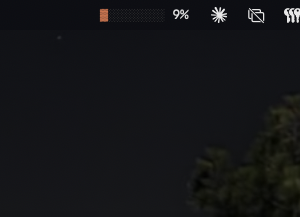
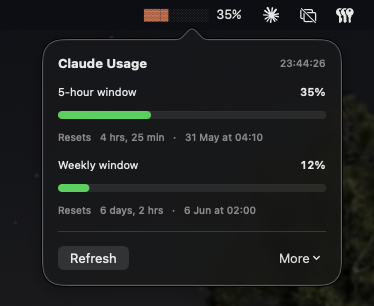
Claude Widget is a small macOS menu bar app that puts your Claude plan usage (the 5-hour session window and the 7-day window) live in the taskbar, so you can see at a glance how much of your allowance you've used.
Click the menu bar item to see both windows with progress bars and the time until each resets.
Why it exists
Before this existed, the only way I could see my Claude usage was to open Claude → Settings → Usage, and hit refresh to get the current numbers. I wanted it live, on my taskbar, the way battery and wifi are. So I built it.
Install
With Homebrew — easiest, and brew upgrade keeps you on the latest:
brew install --cask annupkapur/tap/claude-widget
Want it somewhere other than /Applications (e.g. a personal utils folder)? Pass --appdir:
brew install --cask --appdir="$HOME/utils" annupkapur/tap/claude-widget
With the install script — a single curl-to-bash:
curl -fsSL https://annupkapur.com/claude-widget/install.sh | bash
The script downloads the latest build, strips the macOS quarantine flag,
copies the app into /Applications, and launches it. On first launch you'll
sign in to claude.ai through an embedded webview — cookies are kept locally
across launches.
Want it somewhere else? Set INSTALL_DIR:
curl -fsSL https://annupkapur.com/claude-widget/install.sh | INSTALL_DIR="$HOME/utils" bash
Prefer to download manually: ClaudeWidget-latest.zip.
How it works
There's no public API for Claude plan usage, so the app embeds a hidden
WKWebView pointed at claude.ai. A Swift Timer pokes the webview every 60
seconds; the webview calls the same internal usage endpoint the Settings →
Usage tab uses, and posts the JSON back to Swift via
webkit.messageHandlers. Using WKWebView (rather than a plain HTTP client
with a copied cookie) sidesteps Cloudflare's TLS fingerprint check, which
blocks ordinary clients even when they have the right cookies.
Technology
- Swift + SwiftUI,
NSStatusItemfor the menu bar WKWebView+ JS bridge for the usage fetch- macOS 14+, MIT licensed
- Source on GitHub